Most moving companies in the Nordics were built on decades of hard work, good relationships, and local know-how. That foundation is strong. But the way we run these businesses has not kept up with the times.
A typical moving company today uses 5-7 different tools every day: a spreadsheet for jobs, Word for quotes, a calendar for the crew schedule, WhatsApp for drivers, an accounting program for invoicing, and maybe some separate solution for equipment tracking. None of them are built for each other. None of them talk to each other.
The result is a loss we rarely measure, but every owner knows: quotes sent a day too late, customers forgotten, equipment lost between jobs, hours spent on double-entry instead of winning new work.
This is a guide to finding the right software for your moving company. It is not a sales pitch. It is a walkthrough of the paths that exist, what you should look for, what you should avoid, and how to calculate whether an investment is worth it.
If you read the whole article, you will have what you need to make an informed decision.
Why this question suddenly matters
Software for moving companies has existed in some form for a long time. But something has changed over the last 3-5 years that makes the question more urgent now than before.
Customer expectations have shifted. A private customer booking a move in 2026 expects a digital quote the same day, not an email two days later. Business customers expect digital signing, online payment, and live status on the job. If your company cannot deliver that, you lose jobs to the ones who can, even when you have better crews and better prices.
Competition has gotten sharper. Larger, well-capitalized moving companies have invested heavily in digital tools and use them actively in their sales material. When a B2B customer compares quotes, the one that looks most professional wins, even when price and service are equal.
Regulations are stricter. The new Danish Bookkeeping Act from 2024 requires digital archival of receipts for at least 5 years, automated bookkeeping for certain company types, and specific rules for digital storage of accounting material. That is hard to comply with using a spreadsheet and a Word template. Sweden and Norway have parallel requirements.
GDPR remains a real risk. Every time a customer's contact details live in a spreadsheet on a personal computer or get shared over regular email, you have a GDPR exposure. In the worst case it costs up to 4% of annual revenue in fines. For a moving company doing 5 million DKK in revenue, that is 200,000 DKK in pure risk.
Labor is harder to find. Younger drivers and movers expect modern tools at work, not print-outs and phone calls about the day's shifts. If your company feels like a 2010 workplace, you have a harder time recruiting the best people.
The question is not whether moving companies will digitalize. They already have. The question is whether your company is part of it, or being overtaken.
The three existing paths, and why they all have the same problem
When a moving company decides to modernize its operation, there are typically three paths to choose from. Each path solves some problems. None of them solves the whole problem.
Path 1: Generic tools not built for the industry
This is the classic stack: Excel for customers and jobs, Word for quotes, a calendar app for the crew schedule, WhatsApp for drivers, and an accounting system like e-conomic, Dinero, Fortnox, or Visma for invoicing.
Pros: Low cost. Everyone knows the programs. Quick to get started.
Cons: Nothing is connected. Information lives spread across 5+ places. Manual double-entry. No central customer database. Hard to get an overview. No automation.
Where it breaks: This is where most Nordic moving companies are today. And it is exactly where most of the pain shows up, because the systems are not built for the industry, and certainly not built to work together.
Path 2: Industry-specific point solutions
Over the last 5-10 years, a handful of smaller systems have shown up on the Nordic market that solve parts of a moving company's operation. They typically cover one thing well, for example scheduling, calendar booking, or quotes, and leave the rest to the generic tools.
Pros: Better than nothing. The functions that exist are tailored to the industry.
Cons: You still end up with 3-5 different systems because the point solution only covers part of the operation. Invoices still get done manually or in a third system. Equipment tracking lives in a fourth place. Customer history is limited to whatever the individual solution can hold.
Where it breaks: You have "digitalized" your scheduling, but the rest of the business still hangs together with tape. It feels like progress until you realize the fragmentation just moved, it did not go away.
Path 3: Custom-built software (in-house development)
Some larger moving companies have built their own system from scratch.
Pros: 100% adapted to the company's own processes. No subscription costs over time. Full control over data.
Cons: Development typically costs 500,000 to 2 million DKK. Maintenance costs another 10-20% of the build cost per year. Risk of losing the developer who built it. Takes 6-18 months before the system is production-ready. And by the time it is finished, the technology is often already dated.
Where it breaks: It is an enormous investment that ties up capital and attention for years. Even when it works, most companies do not have the resources to keep developing it as the industry changes.
The shared weakness
All three paths share the same underlying weakness: your data and your processes live scattered or stagnant. You pay some form of "fragmentation tax", in time, in errors, in lost customers.
This is the problem a new category is built to solve.
The new category: an operating system for the moving industry
There is a missing fourth path. A unified operating system: one place where jobs, customers, crew schedules, equipment, quotes, invoicing, vehicles, and reporting all live together and talk to each other.
Not a scheduling tool with a quote feature on the side. Not a CRM with extra modules. A new foundation that replaces the many tools most moving companies use today.
That is exactly what Movena is built as. We talked to Nordic moving company owners for months before we wrote the first line of code, and we built one coherent system with everything a modern moving company needs:
- Jobs and customers: complete history on every customer and job
- Quotes: from first estimate to digital signature in under 5 minutes
- Crew schedule: accessible from both desktop and mobile
- Equipment tracking: keep track of boxes, bubble wrap, blankets, and every other piece of gear
- Vehicles: service tracking, mileage, fuel
- Invoicing: automatic after a completed job, with automatic reminders
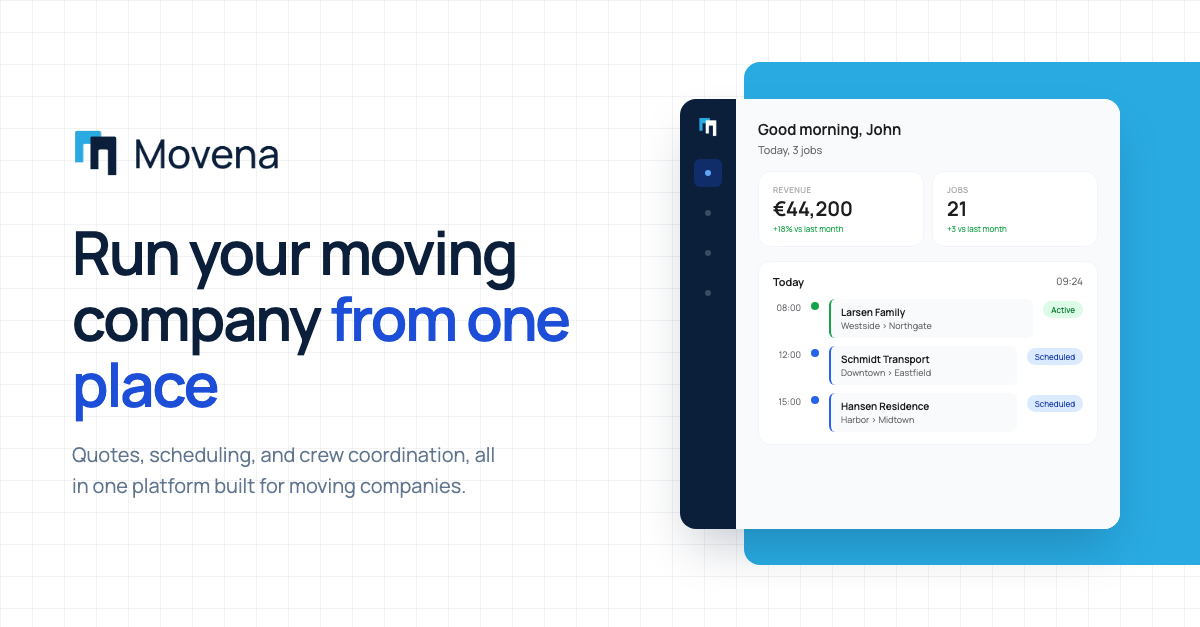
- Live dashboard: every key number in one place, updated in real time
- Reporting: understand your business in a new way
This is not a feature list. It is a foundation that replaces how moving companies have been run for 30 years.
The 8 most important functions a complete system needs
Whichever path you choose, there are eight critical areas you should evaluate every vendor on. If a system is missing one of these, you will most likely regret the choice within 12 months.
1. A quote builder with templates
A quote should be possible to produce in under 5 minutes, with a price basis (man-hours, mileage, extras), automatic VAT calculation, and digital signing. If you are still copying from an old quote in Word, you are losing both time and professional credibility.
2. Crew scheduling on mobile
Your team should see their schedule on their phone, get real-time updates, and report sick directly in the app. If the boss has to text everyone about changes, the system is not good enough.
3. Automatic invoice flow
When a job is completed, the invoice should be generated with a few clicks. Automatic reminders after X days. Direct integration to your bookkeeping system, or accounting built in. Writing invoices manually in Word is a huge time sink and a major source of errors.
4. Customer history that remembers everything
When the Hansen family calls three years after a move and needs to move again, you should be able to pull them up and see: how many boxes they had, how many movers were on the job, whether there was a piano, and whether anything went wrong. This is a competitive advantage. You come across as professional, and your pricing can be tighter.
5. A live dashboard with key numbers
How many moves did we complete this month? How much is outstanding on invoices? Which jobs are booked next week? Questions like these should be answerable in 5 seconds with one click, not by opening three different Excel files.
6. Equipment tracking that knows where things are
Blankets, boxes, bubble wrap, and gear have a stubborn tendency to disappear. A proper system tracks what went out with which job, what came back, and what is missing. This single point typically saves several thousand DKK in equipment every year.
7. GDPR compliance and a data processing agreement
The vendor must be able to offer a formal data processing agreement, document where data is stored (ideally EU/Nordics), and have clear procedures for backup and data deletion. If they cannot answer that, it is a red flag.
8. Bookkeeping Act integration
Nordic bookkeeping laws require digital archival of receipts for at least 5 years, automated linking between invoice and bookkeeping, and specific format requirements. The system must be built to comply with this, or to integrate with a bookkeeping platform that does.
5 red flags when evaluating a vendor
When you start looking at concrete vendors, there are warning signs worth watching for. If you hit two or more of these, we recommend moving on to the next vendor.
- Setup fee over 10,000 DKK. Modern systems should be set up without significant onboarding cost. A high setup fee is often a sign that the system is built on older technology that requires manual configuration.
- Onboarding longer than 1 week. If the vendor says it "takes 6-8 weeks to get going", the system is either unfinished or far too complex for a moving company of your size. A good system should have you running in hours or days.
- No real mobile version. Most of your business happens away from the desk. A system without a strong mobile experience is not a complete system. Test it on your phone before you decide.
- Software that looks like it was built before 2018. You can usually feel it in the interface: boxy buttons, tiny fonts, old colour schemes. It is not only an aesthetic problem, it is typically also slower, has worse mobile support, and gets updated less often.
- Lock-ins over 12 months. Good vendors do not need to chain you into long contracts. If they require 24 or 36-month commitments, it is because they do not trust their product to keep you on its own. Look for monthly cancellation or 12 months maximum.
How to calculate whether the investment is worth it
The most common pushback we hear from moving company owners is: "I know it could be better, but I can't afford to invest in new software right now."
That is the wrong way to think about it. The question is not "can I afford software". It is "can I afford to keep going without". Here is a calculation that helps.
The wasted-time math
Figure out how much time each person in your company spends on manual administrative work each week. Count concretely:
- Writing quotes in Word: typically 15-30 minutes per quote
- Updating spreadsheets: 30-60 minutes daily
- Coordinating over WhatsApp/phone: 30-60 minutes daily
- Writing and sending invoices: 10-15 minutes per invoice
- Looking for information ("where is that quote?"): 20-30 minutes daily
For an average owner in a 5-person moving company, it is realistic that 2-3 hours per day go to administrative work that a good system could automate or strongly simplify.
The math:
- 2 hours daily × 5 working days × 50 weeks = 500 hours per year
- 500 hours × 350 DKK/hour = 175,000 DKK in hidden costs every year
That is the cost of not having proper software. Even at a conservative 50% saving, the ROI is significant.
The second effect: lost jobs
This is harder to measure, but every moving company we have talked to knows of customers who walked because the quote was sent too late, or they forgot to follow up. If software helps you win just 5 extra jobs a year, and each job is worth 8,000-12,000 DKK, that is another 40,000-60,000 DKK in direct revenue.
The third effect: lost equipment
Most moving companies underestimate how much disappears every year in boxes, bubble wrap, blankets, and gear. A proper equipment tracking system catches this. Realistic saving: 10,000-50,000 DKK annually depending on company size.
Added up, the ROI is almost always positive within the first year.
Our recommendation: Movena
We built Movena because we talked to moving company owners who were looking for exactly this: one system that covers the whole operation, without consultants, long contracts, or compromises on functionality.
Movena is the first real operating system for the moving industry. It means everything, jobs, customers, crew schedule, quotes, invoicing, equipment, vehicles, lives in one coherent system, built specifically for how moving companies actually work.
What makes Movena different:
- Built with the industry, not for it. We talked to Nordic moving company owners for months before we wrote the first line of code. Every feature is tested with real users.
- Onboarding in hours, not weeks. You import your existing Excel, we set up your team, and you are running the same day.
- No setup fee. Monthly cancellation. We trust the product to keep you, so you do not need a contract that holds you in place.
- Nordic support from Nordic builders. We sit in Copenhagen and we know the industry.
- Modern UI built in 2026. It is an experience, not a tool.
It is not a small improvement. It is a new standard for how moving companies are run.
Learn more about Movena or contact us directly.
Frequently asked questions
How long does it take to switch to new software?
It depends entirely on the solution. Custom-built systems can take 6-18 months. Purpose-built SaaS like Movena typically takes 1-3 days to get running with your existing data imported. If a vendor tells you 6-8 weeks or more, the system is probably too complex for your size.
How much does software for moving companies typically cost?
Prices vary a lot by type:
- The Excel + Word stack: apparently 0 DKK, but realistically 100,000+ DKK per year in hidden time costs
- Point solutions (scheduling only, quotes only, etc.): 300-800 DKK/month per module, and you need 3-4 of them
- Complete systems: 1,500-5,000 DKK/month depending on user count
- Custom-built software: 500,000 to 2 million DKK upfront + 50,000-200,000 DKK per year in maintenance
Can I import my existing Excel?
Modern systems can usually import directly from Excel. Movena offers free import help as part of onboarding. Older systems often require manual data migration that costs extra.
What happens to my data if the vendor shuts down?
Fair question. Make sure that:
- The vendor offers export of all your data to standard formats (CSV, Excel) any time
- There is a clear policy on what happens if the vendor goes out of business
- Data sits on servers inside the EU (ideally the Nordics)
Movena offers unlimited export at any time, and guarantees 6 months of free migration access if we ever shut down.
Is it secure? What about GDPR?
A serious system has:
- Encrypted data both in transit and at rest
- A data processing agreement (DPA) available
- Documented backup procedure
- Hosting on servers inside the EU
- Clear procedures for data deletion when the customer leaves
Most real software vendors offer this. The Excel + WhatsApp stack is effectively a GDPR nightmare, because data spreads across personal devices and is hard to get an overview of.
Is it worth it for a small company with only 3-5 employees?
Yes. Actually even more than for larger companies. Larger companies often already have an office person handling the administrative side. In small companies, it is the owner spending time on it, and the owner is the most valuable resource. Every hour you save on admin can be spent on winning new jobs or improving operations.
What if my employees are not great with IT?
This is a common worry, but in practice it almost always goes better than expected. Modern systems are built to feel like social media: big buttons, clear visual feedback, no technical manuals. If your employees can use Facebook and MobilePay, they can use a good moving system.
Should I pick one big solution or several small ones?
Our clear recommendation: one unified solution. Every additional system you add is another place where data lives, another login to remember, and another interface where things can go wrong. That is exactly the problem a unified solution is built to remove.
Conclusion
The most important choice you face is not which software to pick. It is whether you will make the choice at all.
Every day you keep going with a mix of Excel, Word, WhatsApp, and paper, you cost yourself hours you never get back. Every quote not sent on time, every customer forgotten, every piece of equipment lost. All of that is a cost you pay on top of the subscription you save.
You do not have to pick the most expensive system. You do not have to pick the biggest. But you have to pick something.
Our recommendation is to start by defining what you need against the eight functions above, then evaluate concrete vendors (book demos, see the interface on a phone, talk to existing customers), and then make the call.
If you want to see how Movena handles this, read more on our site or write to us directly, and we will show you the system in 15 minutes without a sales push.